All

API Reference

Tutorials

Release Notes
On this page
AI Detection
Introduction
The AI Detection feature analyzes video frames to estimate whether the video is AI-generated, returning a verdict and confidence score.
Using AI Detection feature
AI Detection outputs can be created by adding an 'ai_detection' output format to your transcoding job. In order to do this, use the /v1/start_encode2 method to launch a transcoding job with the output param set to ai_detection.
General Structure:
{
 "query": {
 "encoder_version": "2",
 "format": [
 {
 "output": "ai_detection"
 }
 ],
 "source": "VIDEO_URL"
 }
}
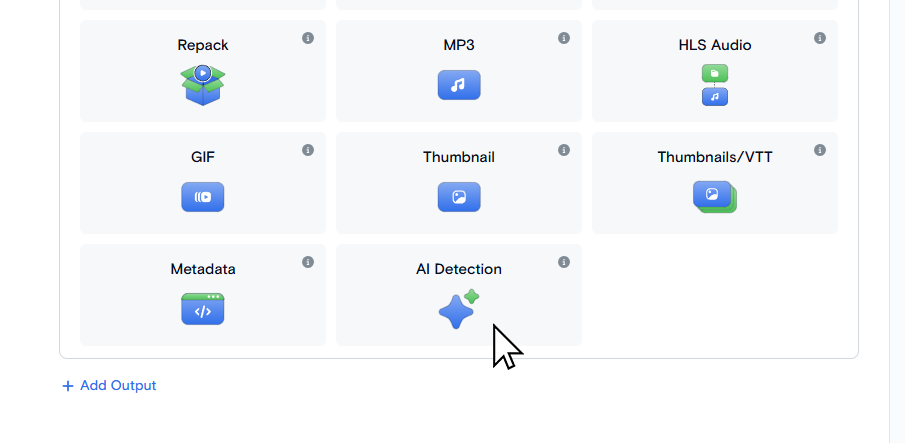
On the Transcode Media page choose AI Detection as an output format.
Saving AI Detection output
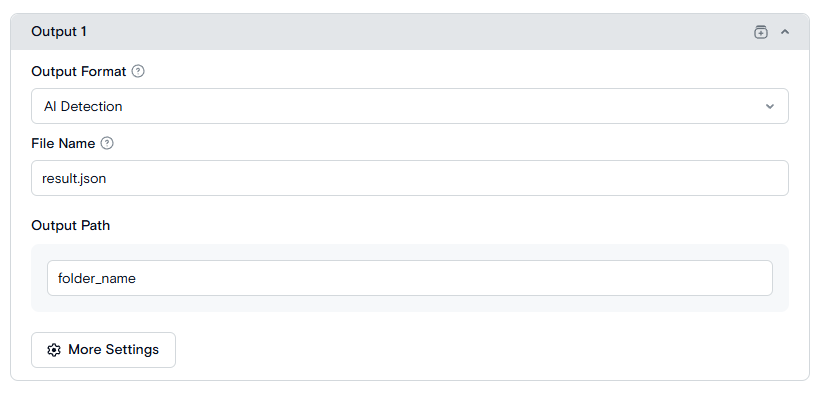
You can specify the name of an output file by result_name optional parameter. If not specified the default name result.json is used.
The destination.url is a path to a folder where result file is saved.
Request Example:
{
  "query": {
    "format": [
      {
        "output": "ai_detection",
        "result_name": "result.json",
        "destination": {
          "url": "s3://us-west.s3.qencode.com/my-bucket/{DESTINATION.URL}"
        }
      }
    ],
    "encoder_version": "2",
    "source": "https://my-bucket.media-storage.us-west.qencode.com/source_video.mp4"
  }
}
This way the output file will be accessible at the link
s3://us-west.s3.qencode.com/my_bucket/{DESTINATION.URL}/result.json
- Set the result file name on the File Name field.
- Set the folder where result file will saved on the Output Path field.